Product Design · Enterprise SaaS · Celigo · 60% reduction in support tickets · 4.6/5 user satisfaction. Designed the end-to-end ownership transfer experience for collaborative workbooks — from user research through to shipped screens.
Problem Statement
The current feature for transferring ownership of saved searches and schedules in workbooks is cumbersome and lacks flexibility. When ownership is transferred, users face challenges such as:
Manual disconnections: The system deletes all schedules and unlinks connections, leading to a complex, error-prone process.
Limited control: Users have minimal control over permissions (view-only, edit, assign connections) when transferring ownership.
Goals
Business Goal:
Reduce Support Tickets
Improve User Retention
User Goal:
Streamline ownership transfer to ensure that saved searches and schedules are preserved during the transfer process.
Enable granular control over permissions for the new owner (e.g., view-only, editing access, or connection assignment)
.
User Research & Interviews
To understand the key pain points and needs, we conducted interviews with 15 internal users who frequently collaborate using workbooks. These users included roles such as data analysts, business intelligence specialists, and team managers. The goal was to uncover the challenges they face when transferring ownership of workbooks and to gather insights for improving the process.
Interview Questions:
How often do you collaborate on workbooks?
What challenges have you faced when transferring ownership of workbooks?
How important is it to control what parts of the workbook the new user can access or edit?
What permissions would you prefer to set for the new owner (view-only, edit, assign connections)?
Have you faced issues with reassigning connections or schedules after transferring ownership?
Analytics Research Data from Interviews:
Frequency of Collaboration:
60% of users collaborate 2-3 times a week, frequently transferring ownership for collaborative work.
40% collaborate occasionally, but still need a reliable ownership transfer process for occasional updates.
Challenges with Ownership Transfer:
80% of users found transferring ownership to be confusing and time-consuming, particularly with saved searches and schedules.
20% had a manageable experience but felt that the process could be more intuitive, especially in terms of managing connections.
Permissions & Access Control:
75% wanted control over permissions, specifically the ability to provide view-only access while preventing edits.
25% requested the flexibility to grant editing permissions to the new user, depending on the situation.
Issues with Reassigning Connections:
90% of users reported difficulties when reassigning connections post-transfer, as connections often became broken and needed to be re-imported or reassigned.
60% preferred an automatic connection re-assignment process to streamline the transition and avoid manual errors.
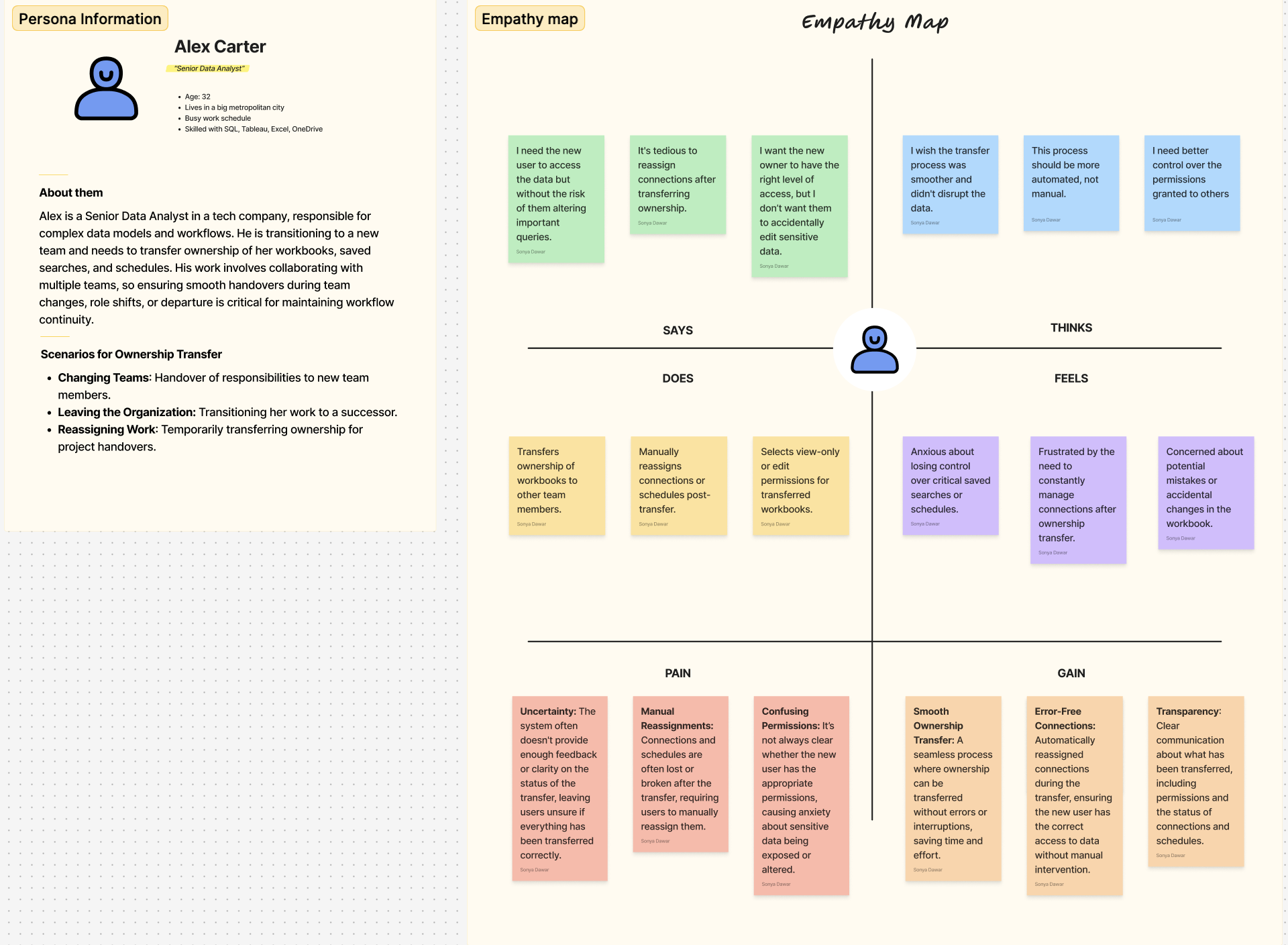
Empathy Map
An empathy map was developed to better understand the emotions and behaviors of users when transferring ownership of workbooks. This map helped identify the challenges and needs users face, guiding the design decisions.
Heuristic Evaluation
We conducted a heuristic evaluation to identify key usability issues in the current ownership transfer process. This evaluation focused on improving the experience for transferring ownership while maintaining clarity, control, and reliability.
Heuristic Evaluation Results:
Visibility of System Status:
Issue: There was no clear confirmation or feedback when ownership was transferred, leaving users uncertain about the success of the process.
Improvement: Add a confirmation screen that specifies the permissions granted to the new owner and outlines any next steps required.
Match Between System and the Real World:
Issue: The terminology used in the transfer process was overly technical, making it hard for non-technical users to understand.
Improvement: Simplify the language and use more user-friendly terms like "Assign Connection" instead of "Re-link Query."
User Control and Freedom:
Issue: Once ownership was transferred, users had no option to undo or adjust permissions, which could lead to problems if the transfer didn’t go as planned.
Improvement: Introduce an undo option and allow for post-transfer edits to permissions.
Consistency and Standards:
Issue: There was inconsistent behavior regarding how connections were handled after a transfer, leading to confusion.
Improvement: Standardize the process so that connections are automatically reassigned to the new owner, avoiding broken links and manual fixes.
User Journey & Figma Screens
In response to the research and heuristic evaluation, I created prototypes in Figma to improve the user experience of transferring ownership. These designs were developed to address the pain points identified and ensure a more intuitive and efficient process for users.
User Journey
Key Screens and Features
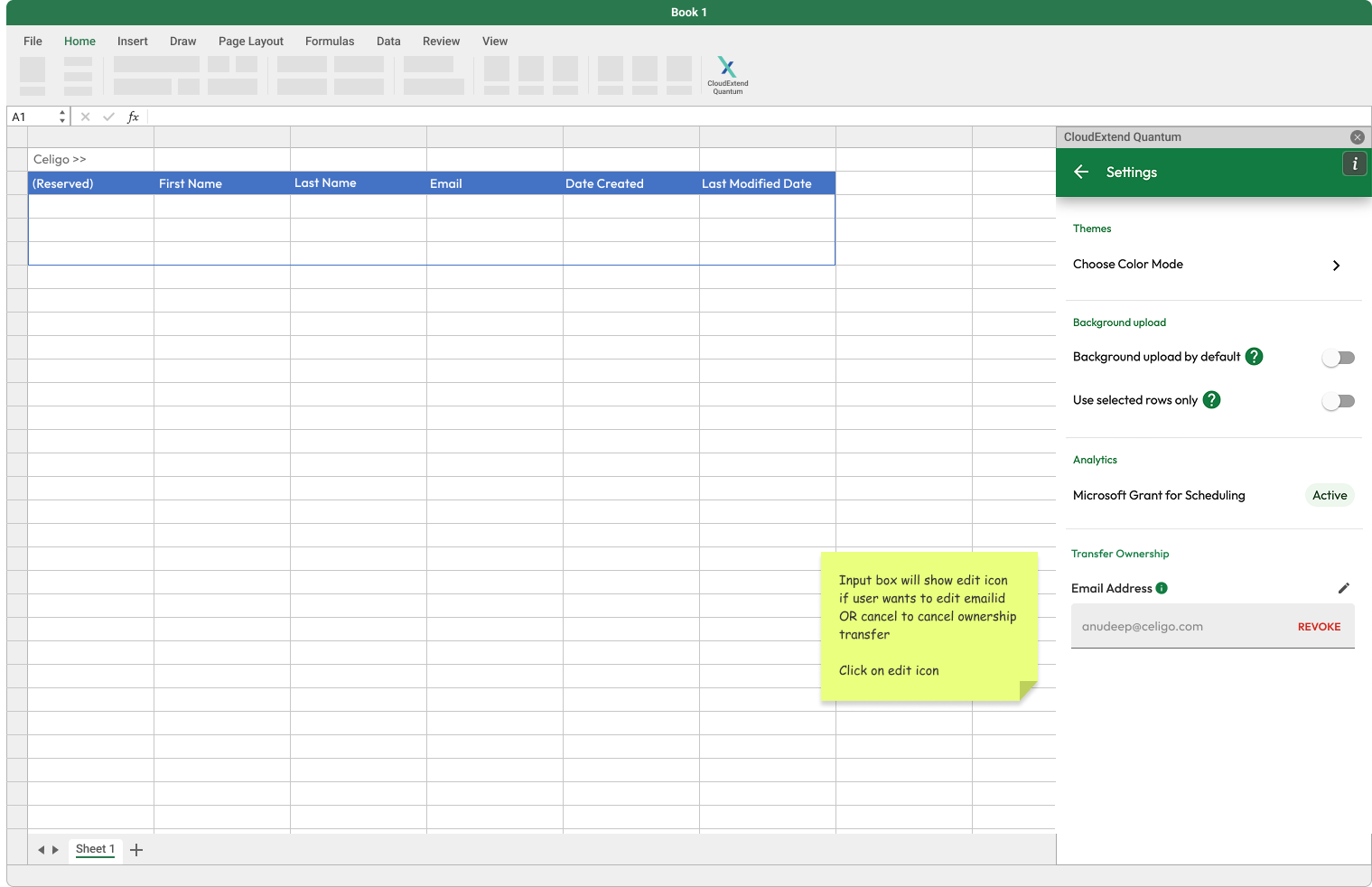
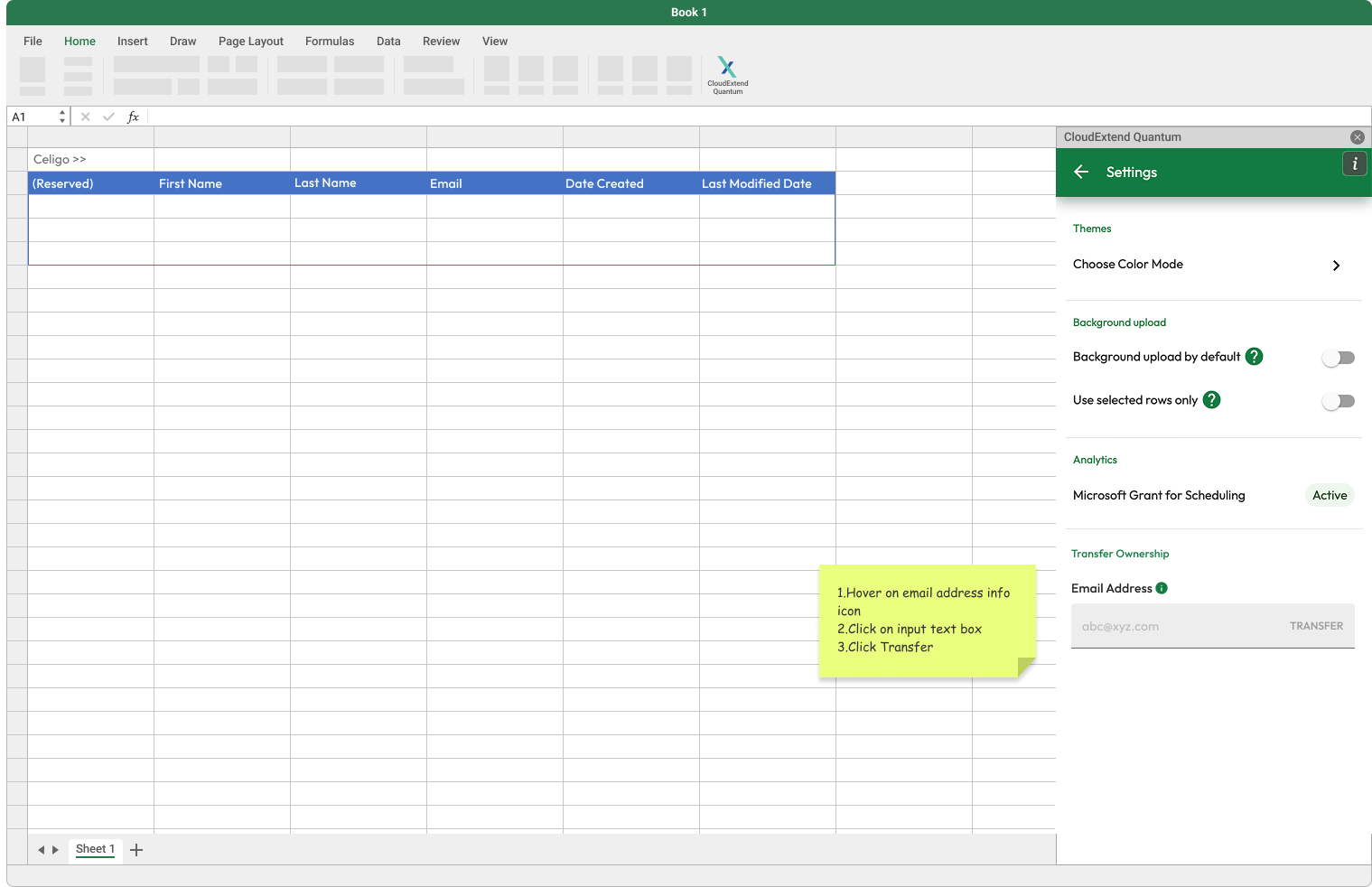
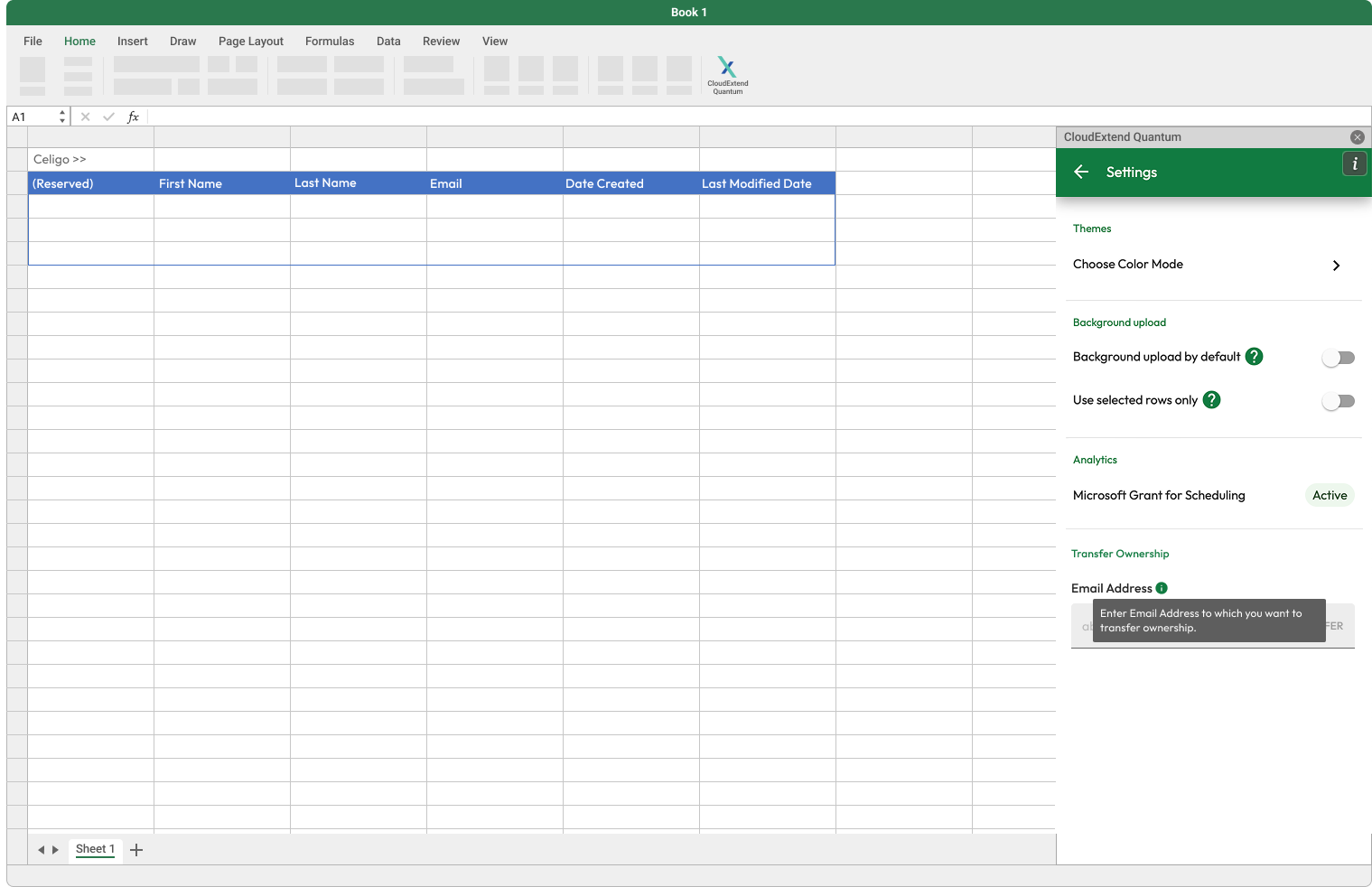
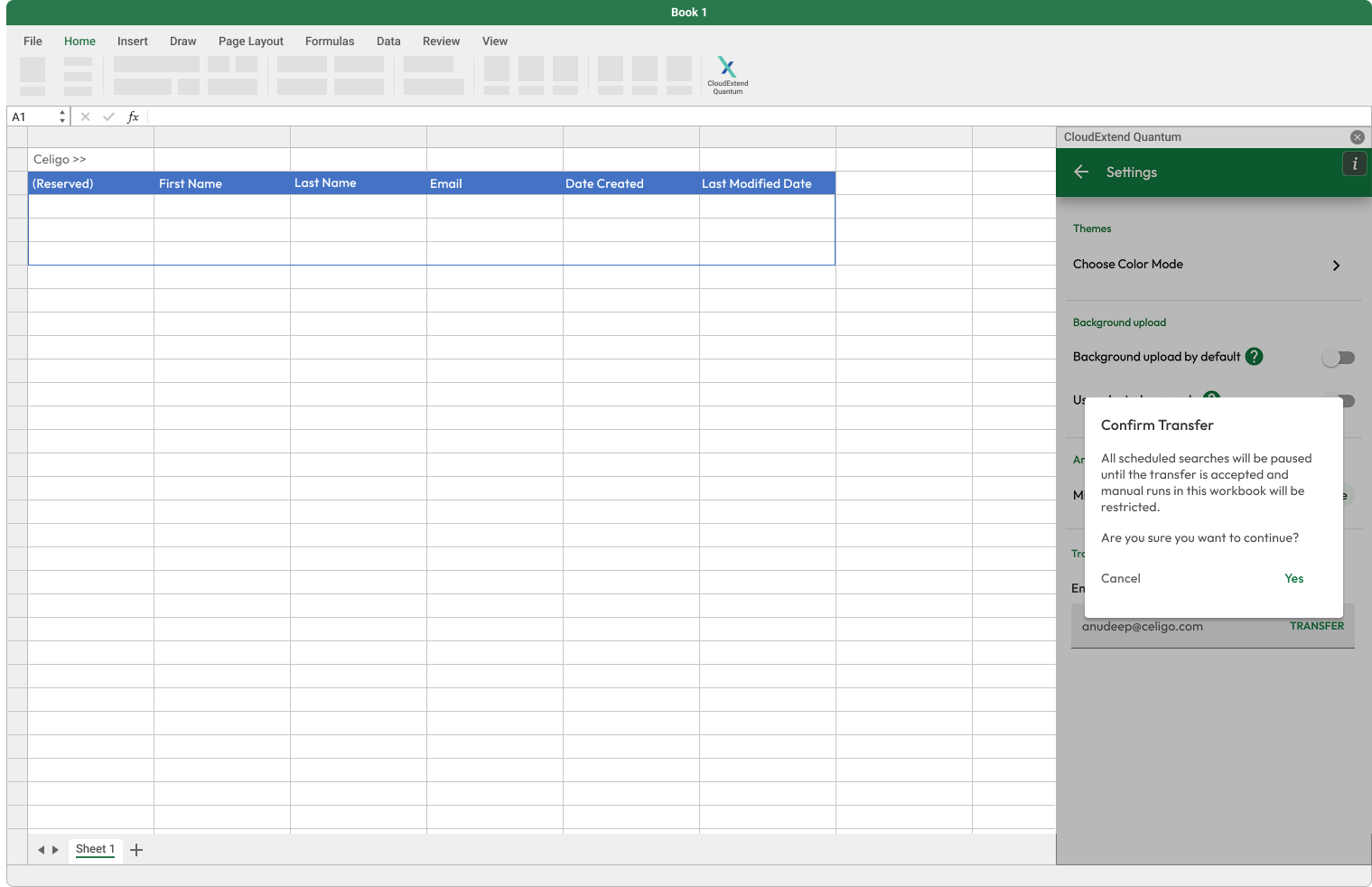
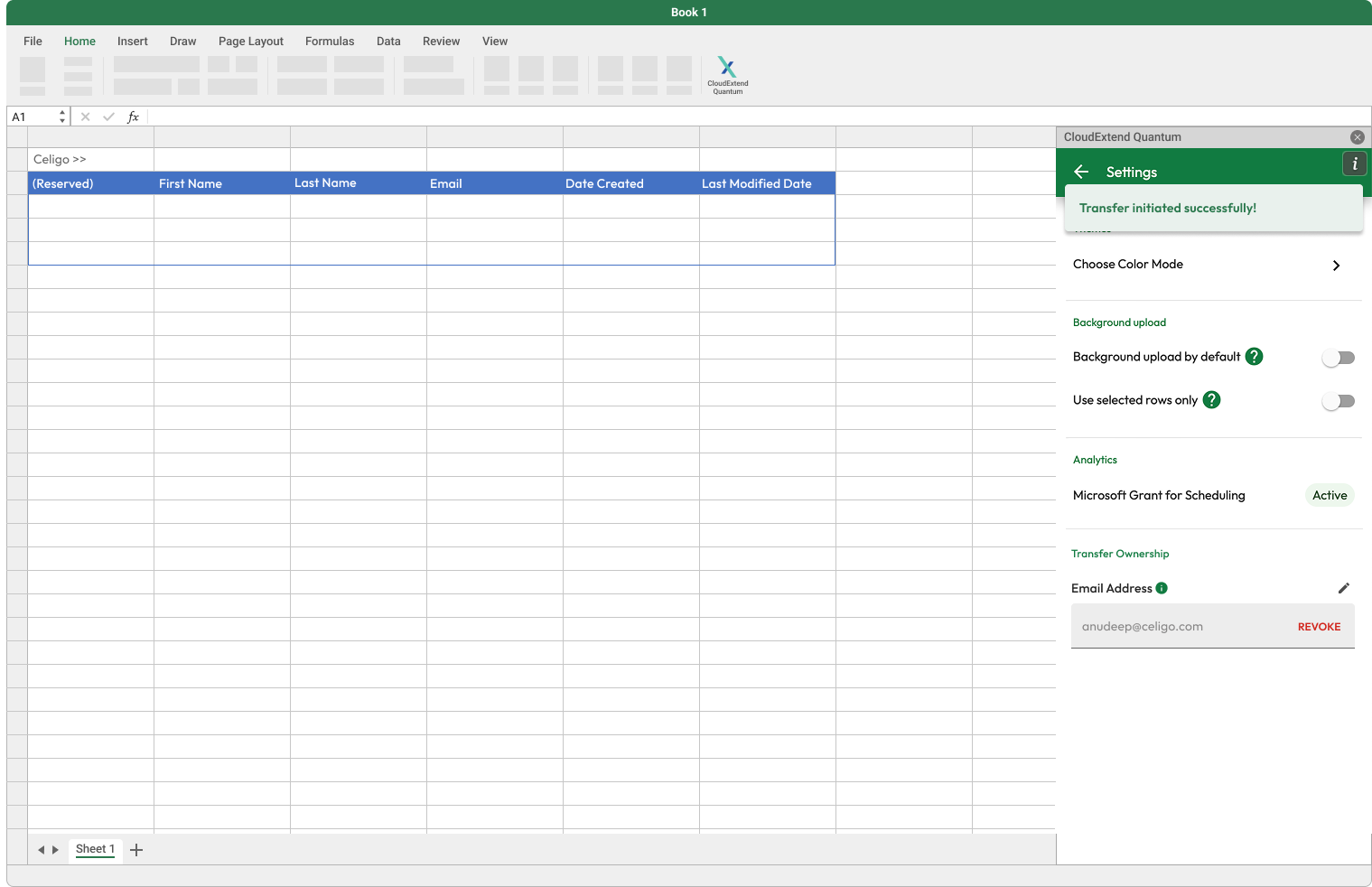
Transfer Ownership Screen (User 1- Current Owner):
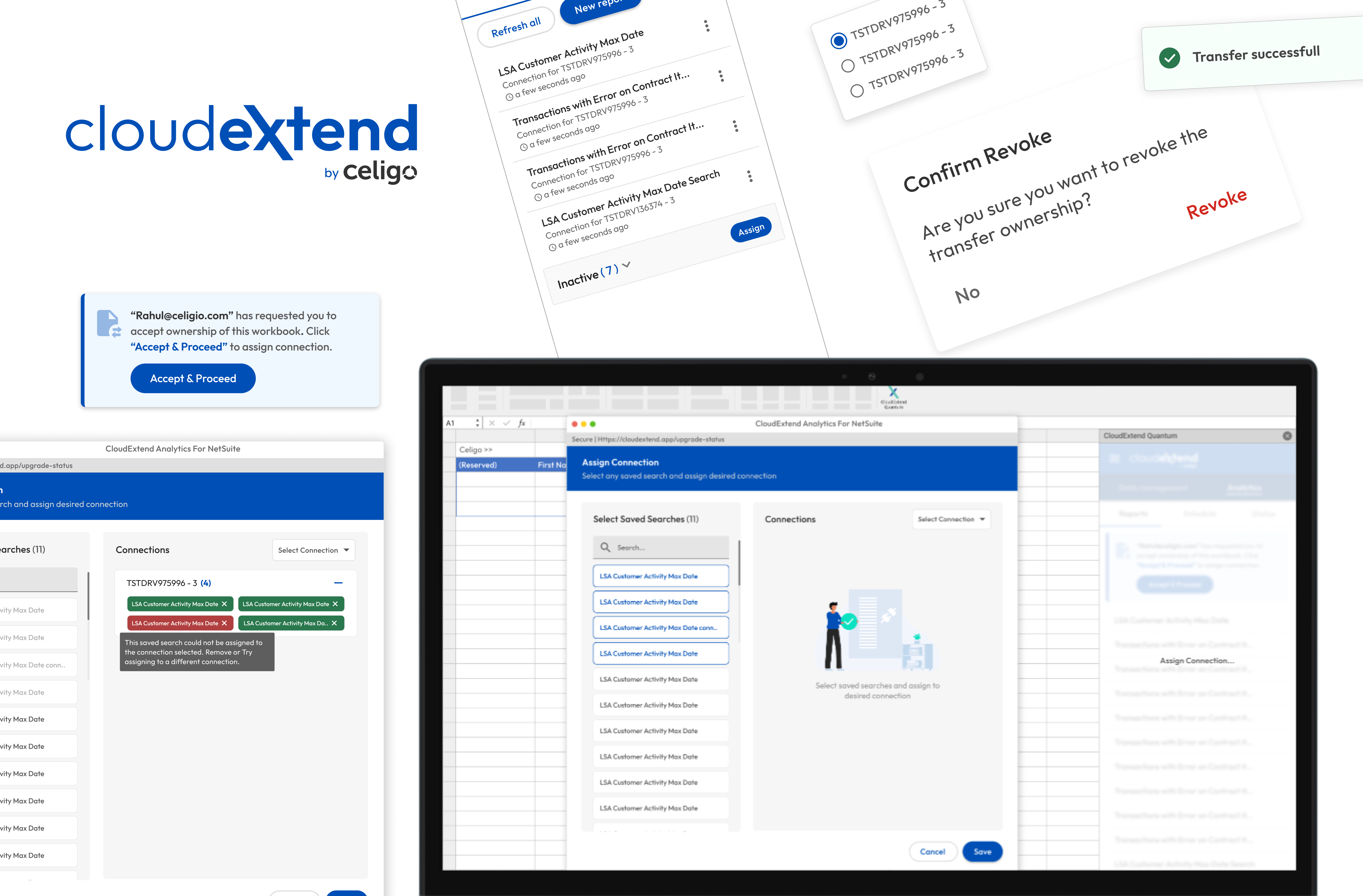
Feature: Users can select the person to whom they wish to transfer ownership and also revoke until transfer is completed.Also after transfer is completed, user 1 will no longer be able to access the workbook.
Visual Elements: The Transfer Ownership button is clearly visible, with a confirmation dialog box.
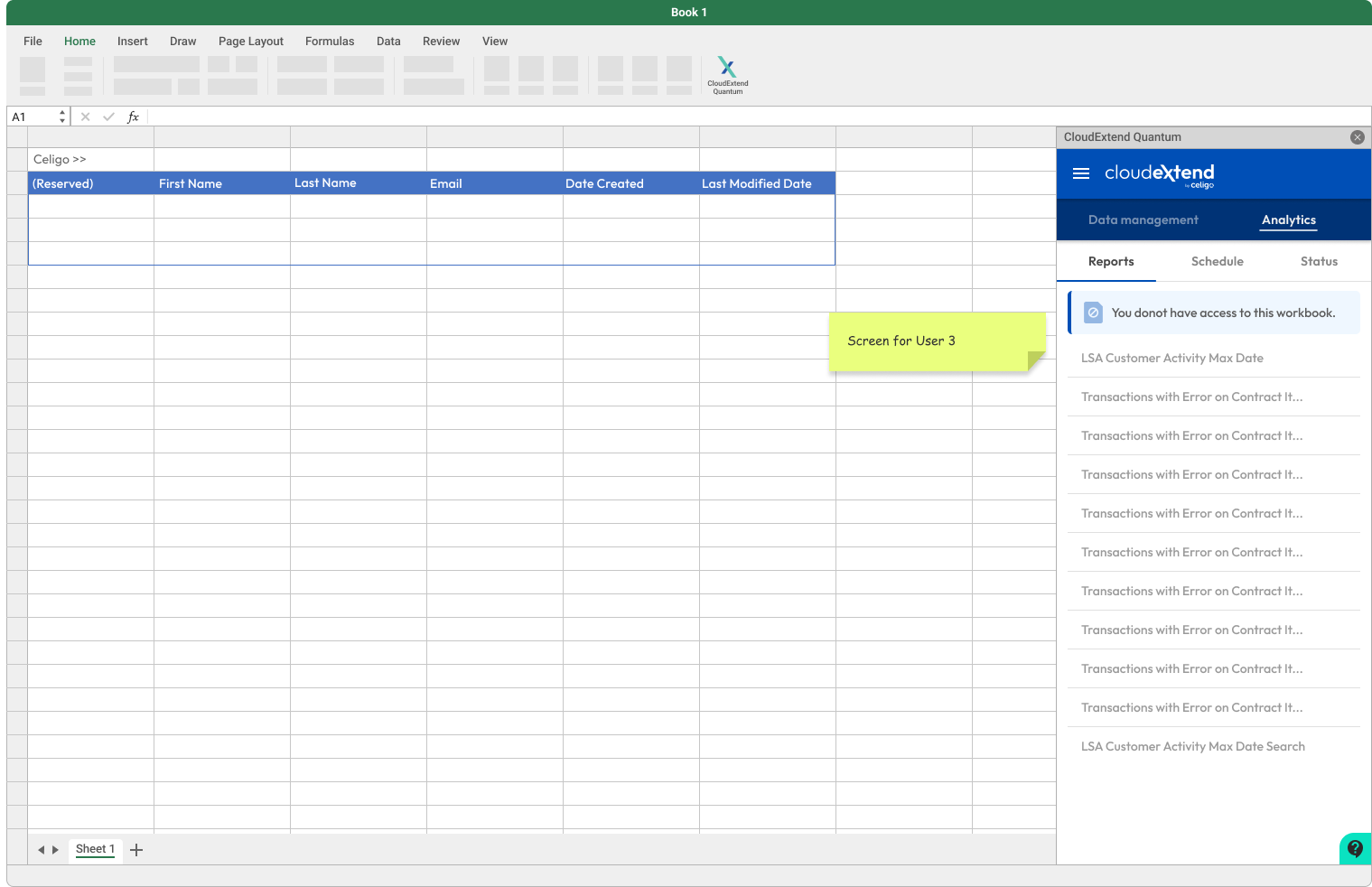
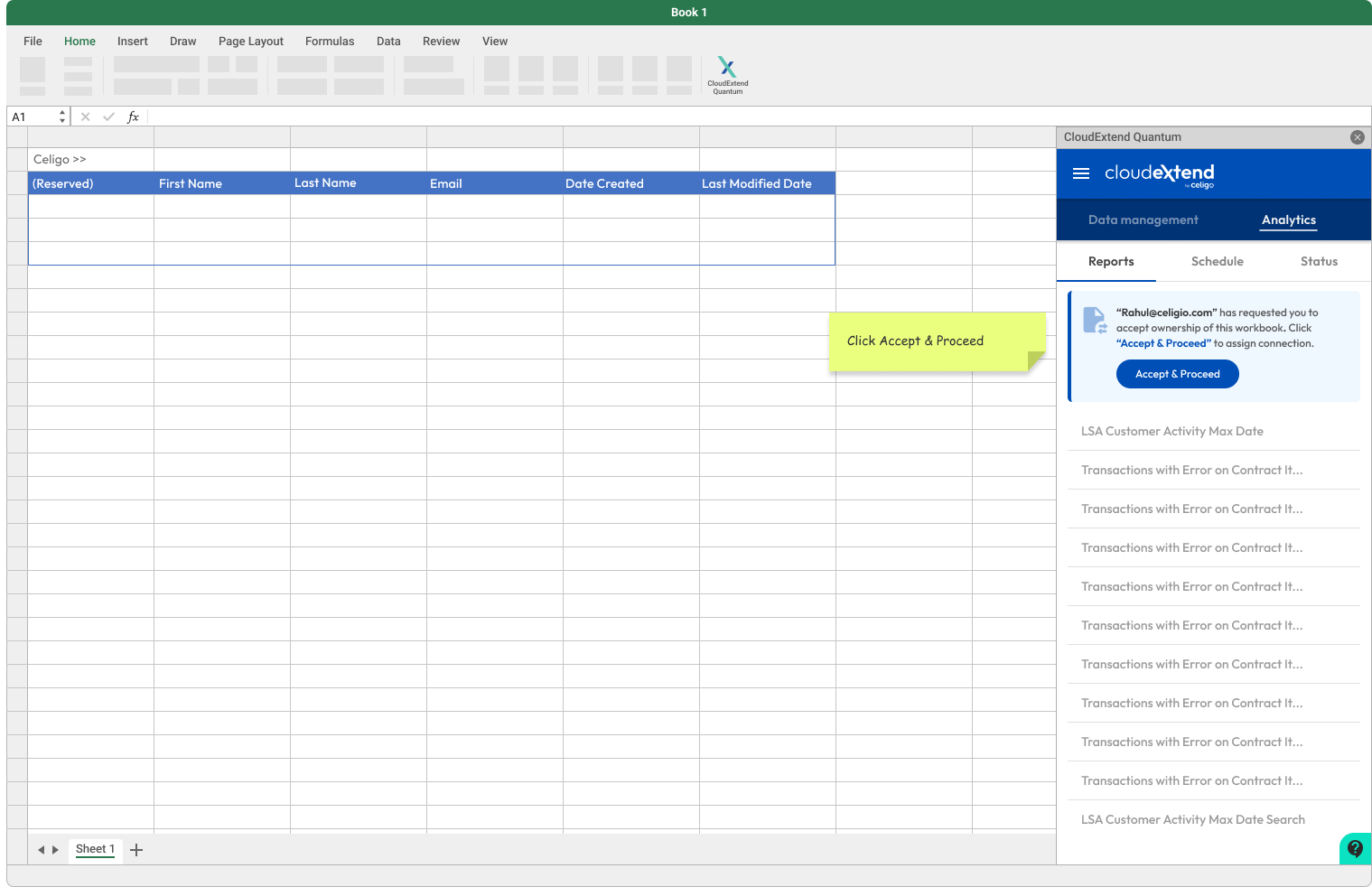
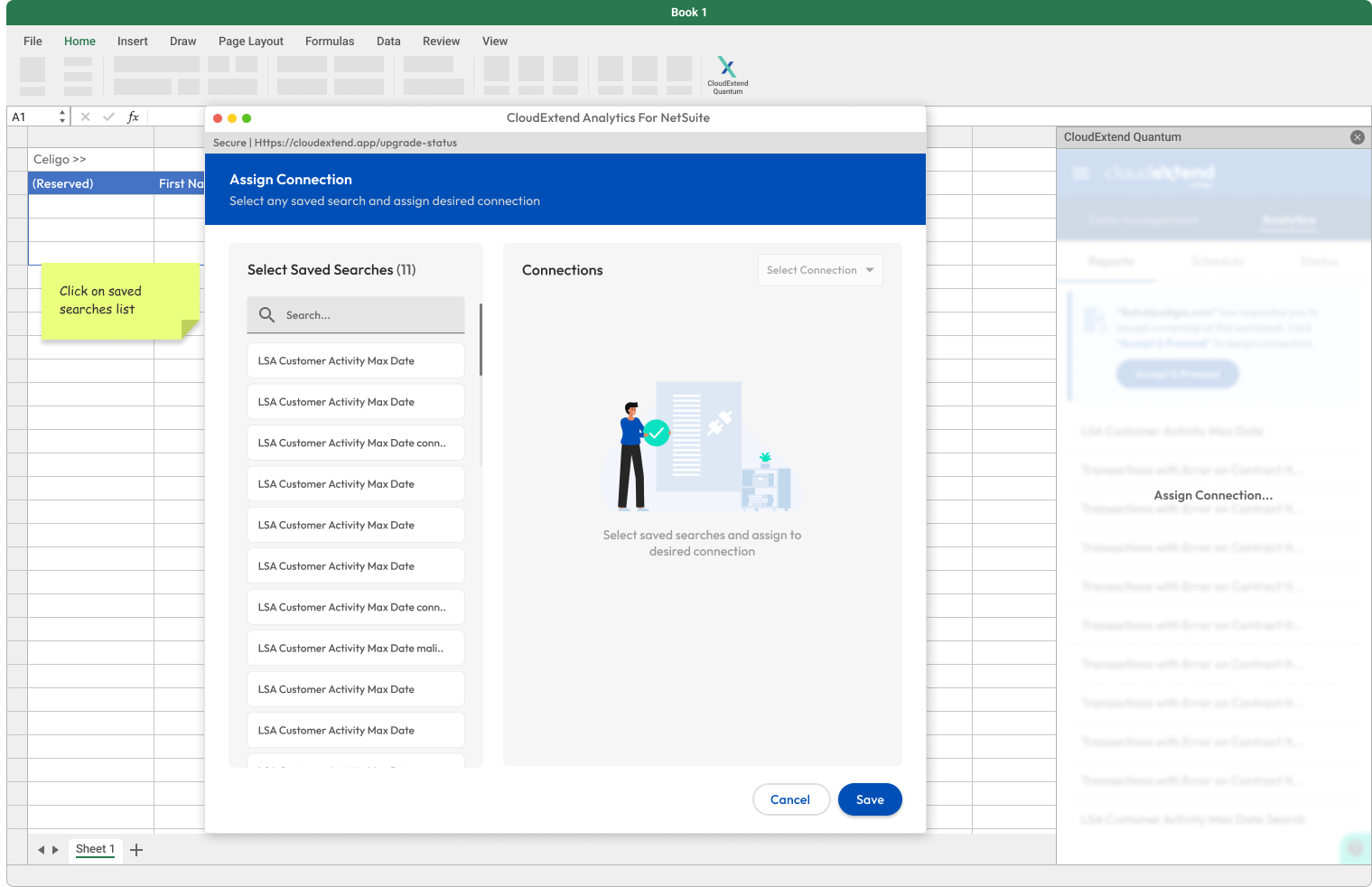
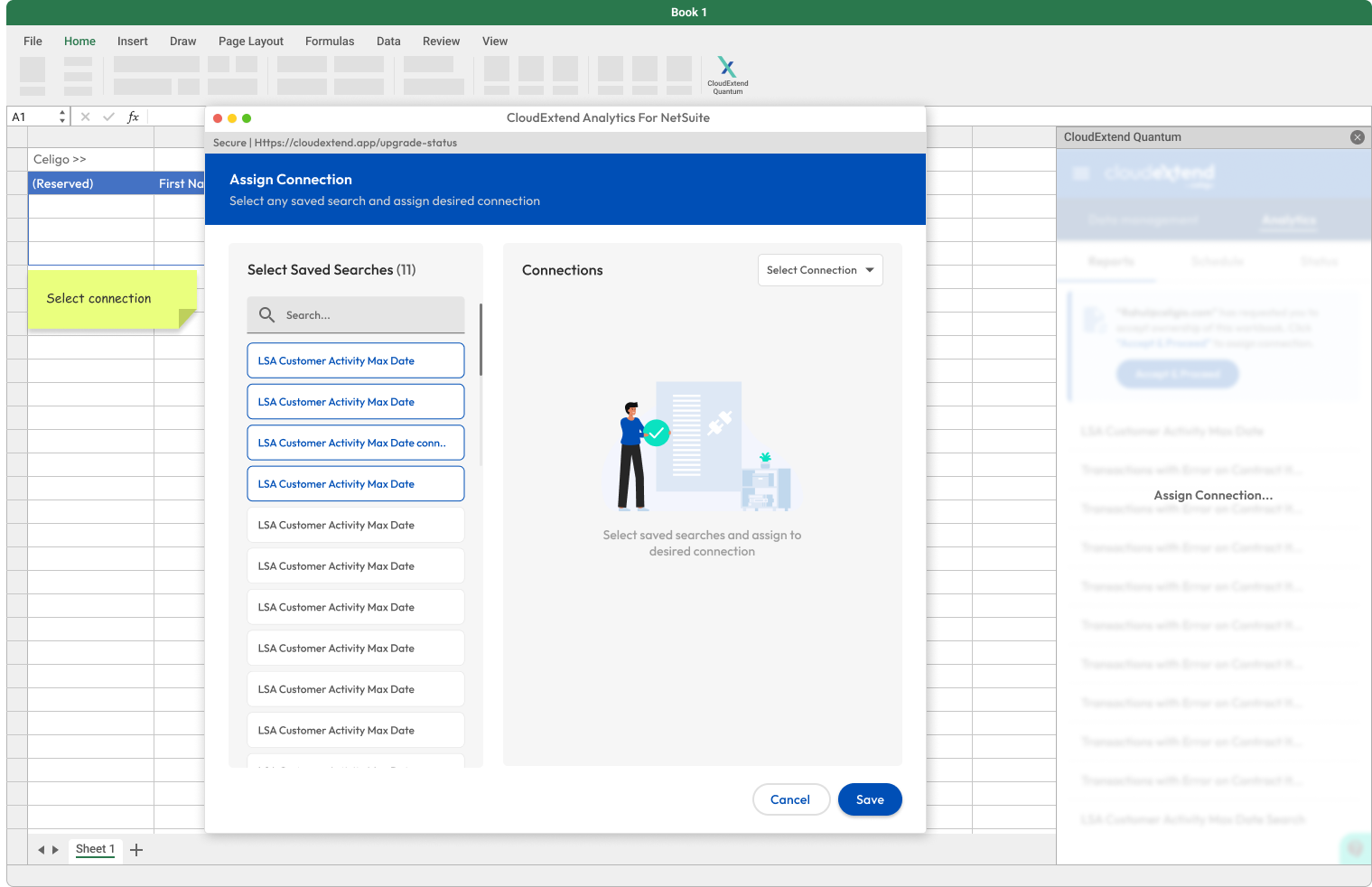
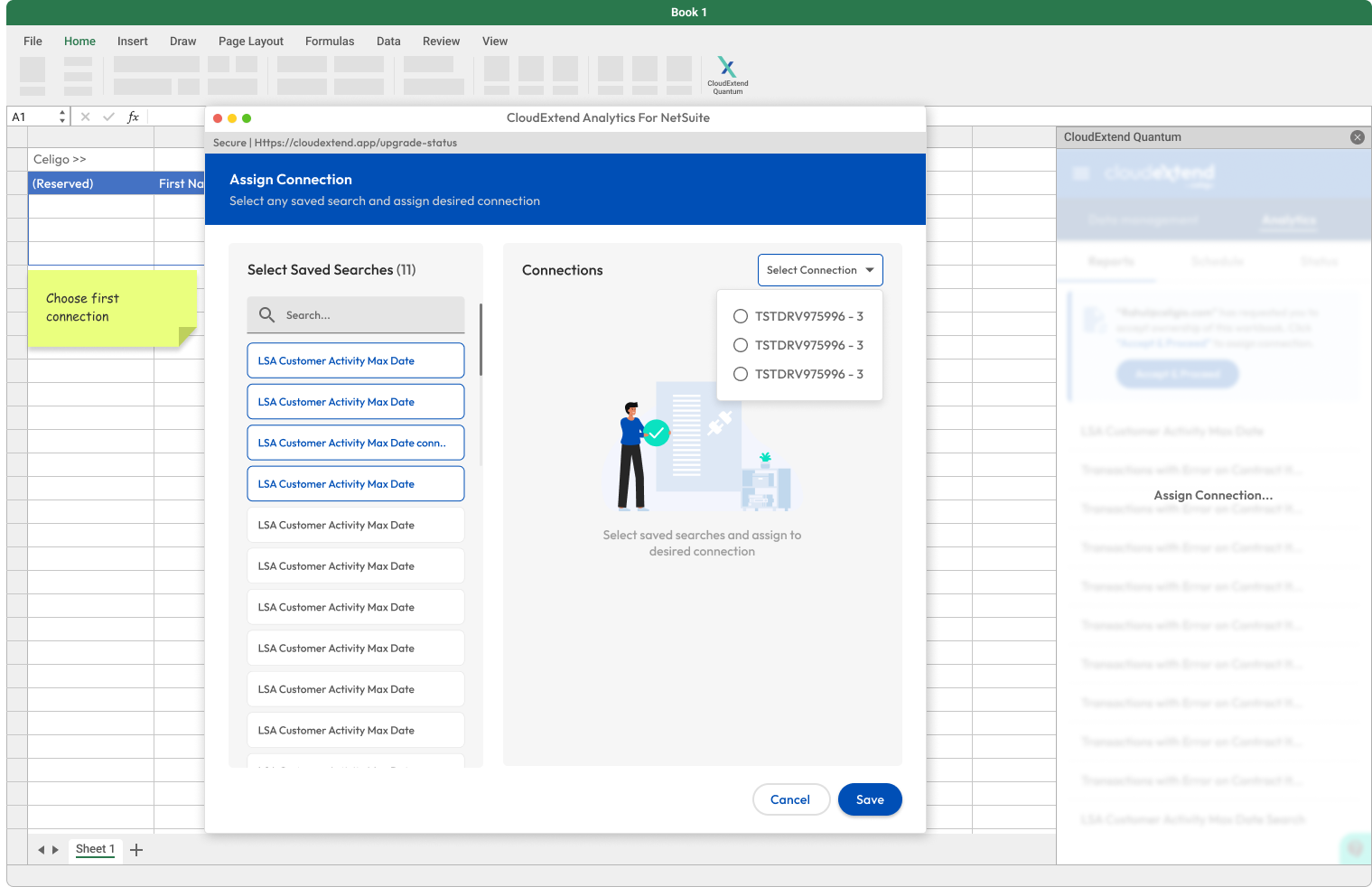
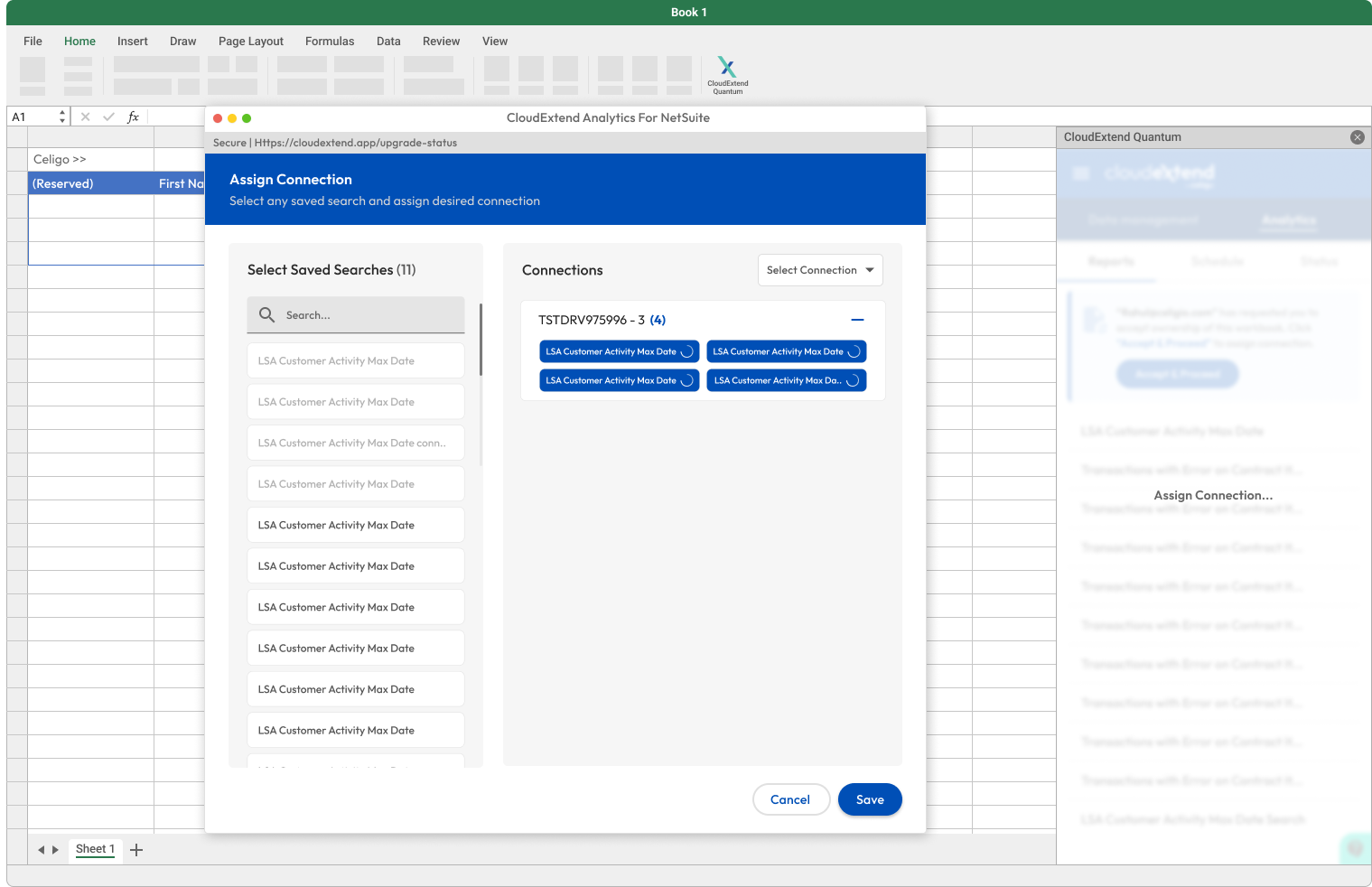
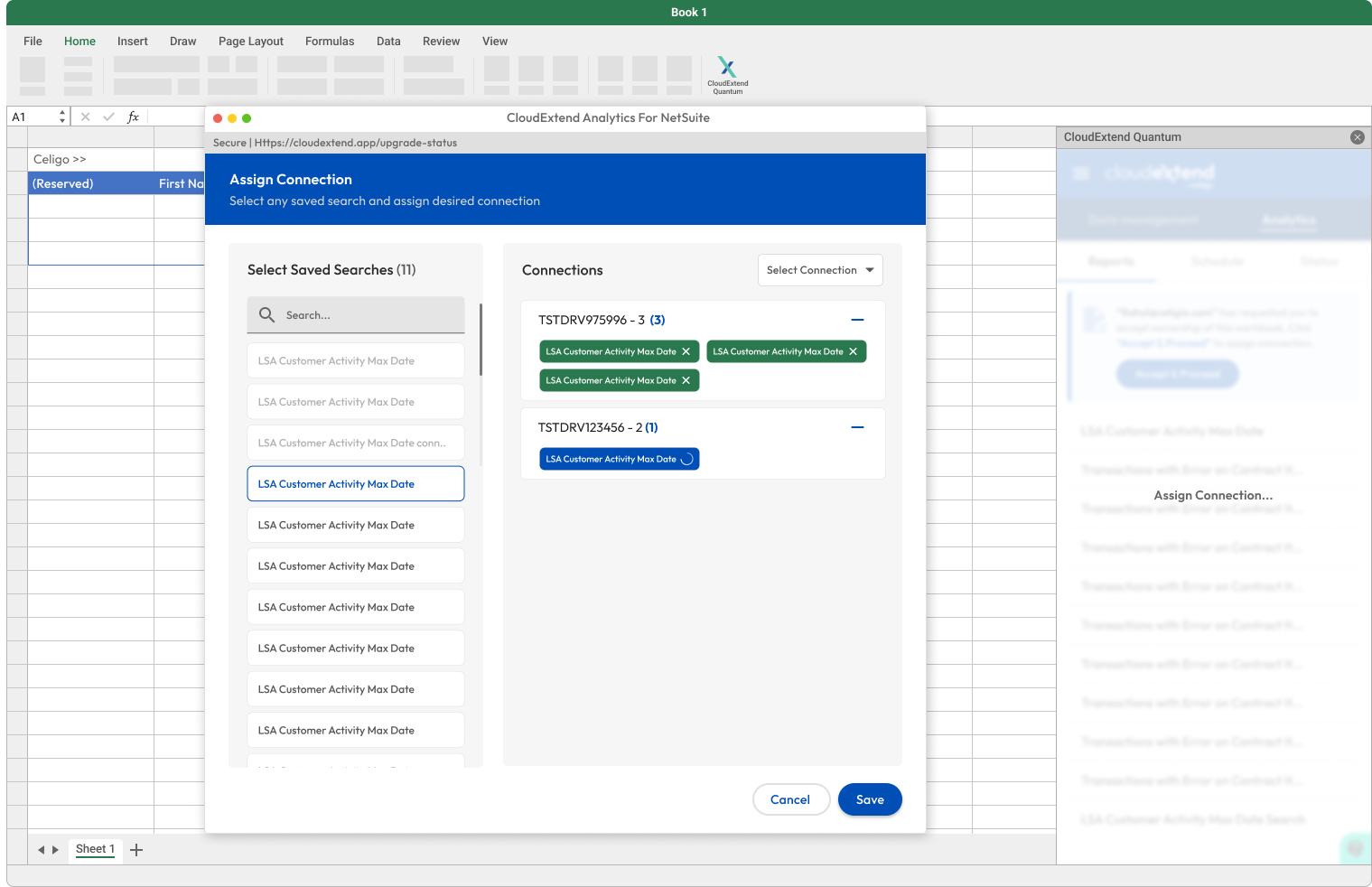
Connection Assignment Screen (User 2- New Owner):
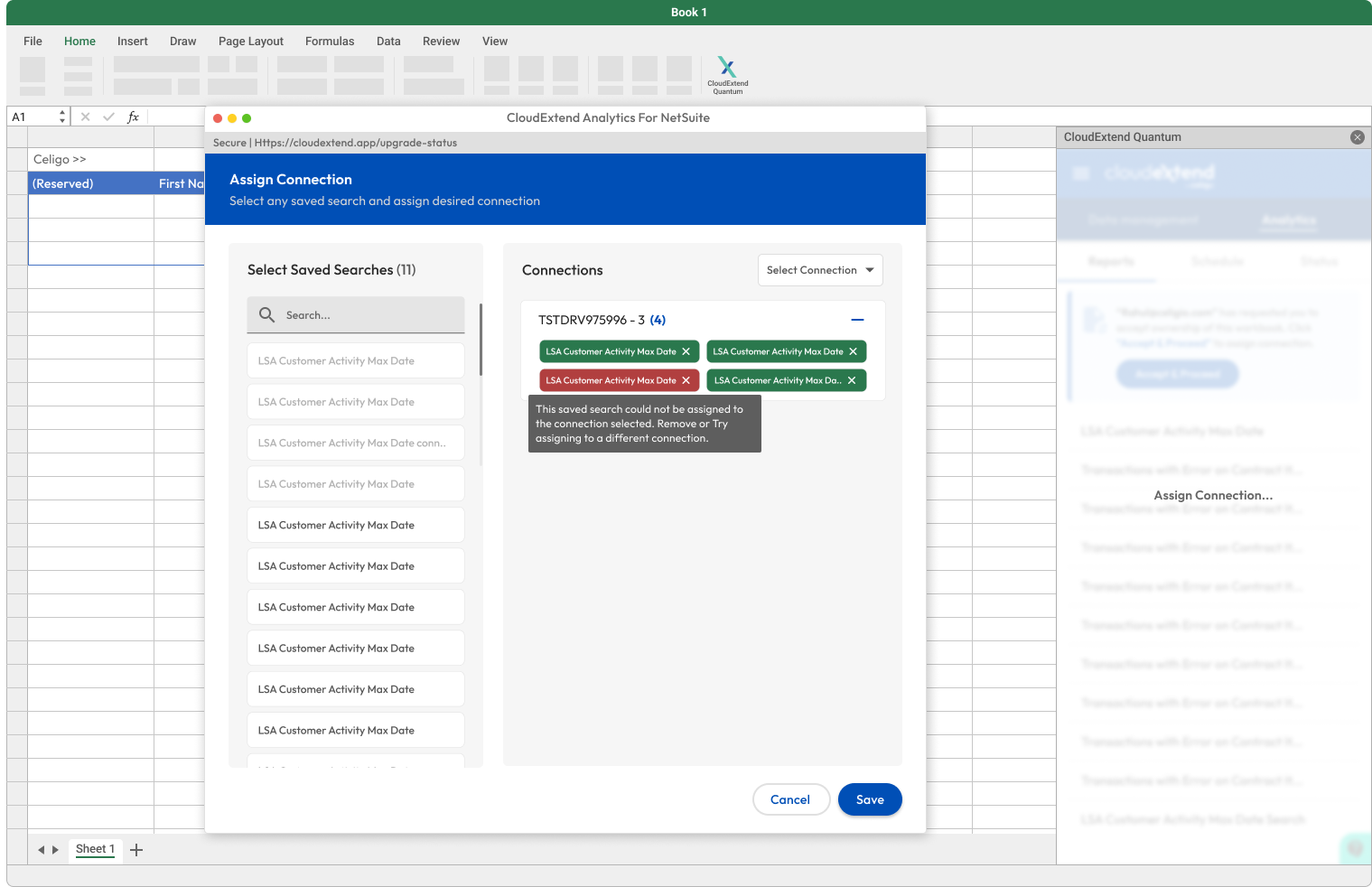
Feature: After the transfer, the new owner (User 2) receives the workbookThe new user (User 2) can assign valid connections to saved searches and schedules. If connections are missing or broken, the system notifies the user with a clear error message.
Design Decision:Color-coded feedback and tooltips ensure users understand where connections need to be reassigned or fixed.
Visual Elements:Error messages appear next to problematic connections.
Conclusion
By addressing key user pain points and providing a clear, automated transfer process, the feature ensures seamless handovers and efficient collaboration.
Key Success Metrics Achieved:
User Satisfaction: 4.6/5
A 4.6/5 rating from users on the ease of use and clarity of the transfer process, indicating high user confidence in the feature’s usability.
Reduction in Support Tickets: 60% decrease
A 60% decrease in support tickets related to broken links, permission errors, and transfer issues, showcasing the feature’s effectiveness in minimizing user friction.
.jpg)

%20(2).svg)
.png)